What do I do with New group and New Cousin cards?
Last updated
Open Puzzle from the top bar. The key above the cards calls the teal color Explore. Look for the words New group or New Cousin at the top of a card.
When you see New group
The app found a new triangulated group. That is a group of DNA cousins who share a piece of DNA. The app uses TG as the short name for triangulated groups.
- Select the card titled You have a new group.
- On the group's Segments screen, note the chromosome and the start and end of the shared segment.
- Look for a familiar name among the cousins in the table.
The label beside Segments shows the chromosome and the shared range. In this example it shows Chr 1 · 42–56 Mbp, and Rowan Example appears in the table.
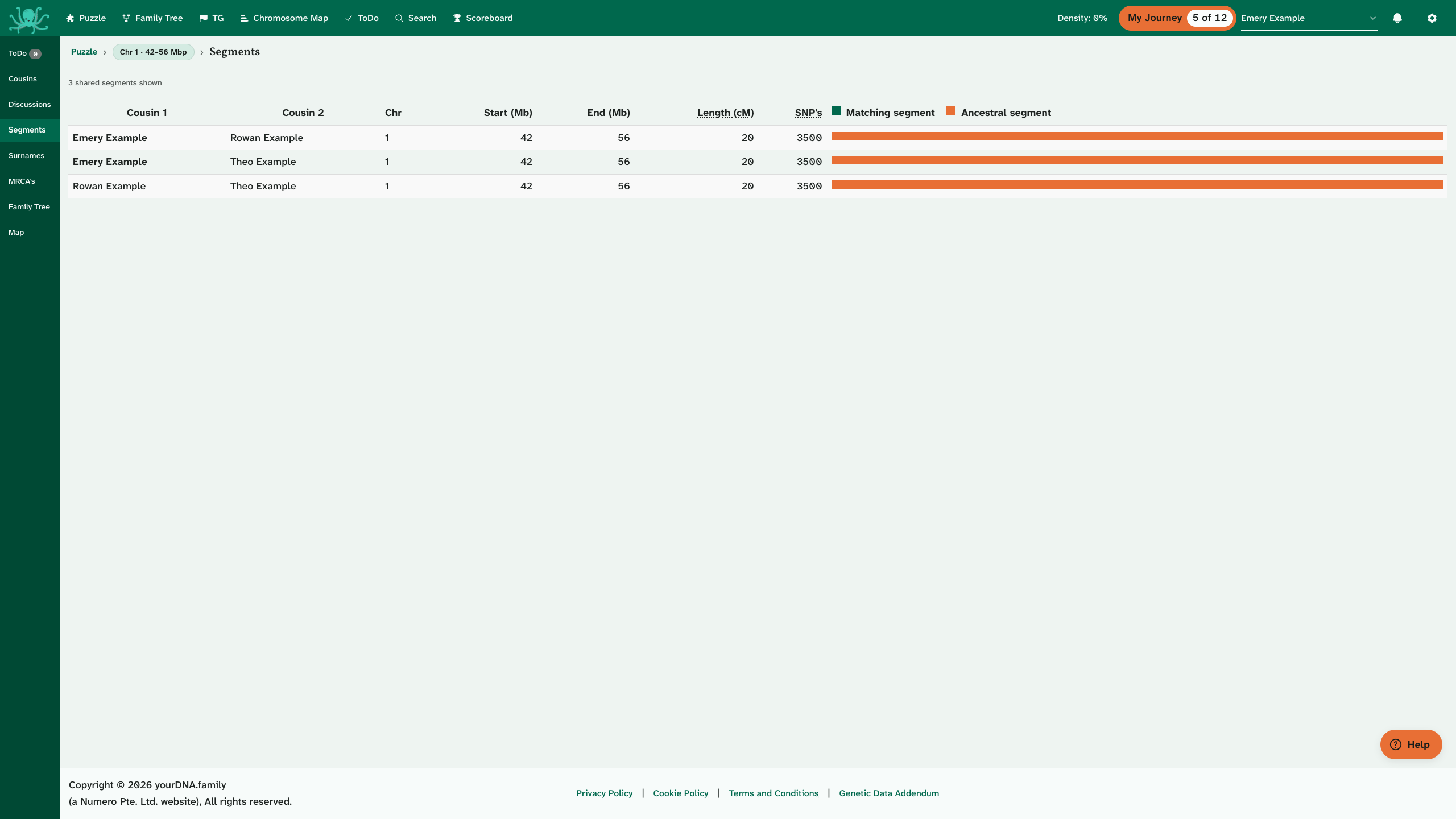
Open the New group result at full size.
When you see New Cousin
The app found another DNA cousin for a group you already have.
- Select the card titled You have a new cousin.
- Look for that cousin on the group's Segments screen.
- Note the chromosome and the shared range so you can find this group again.
In this example Avery Example appears in the table for Chr 1 · 57–71 Mbp.
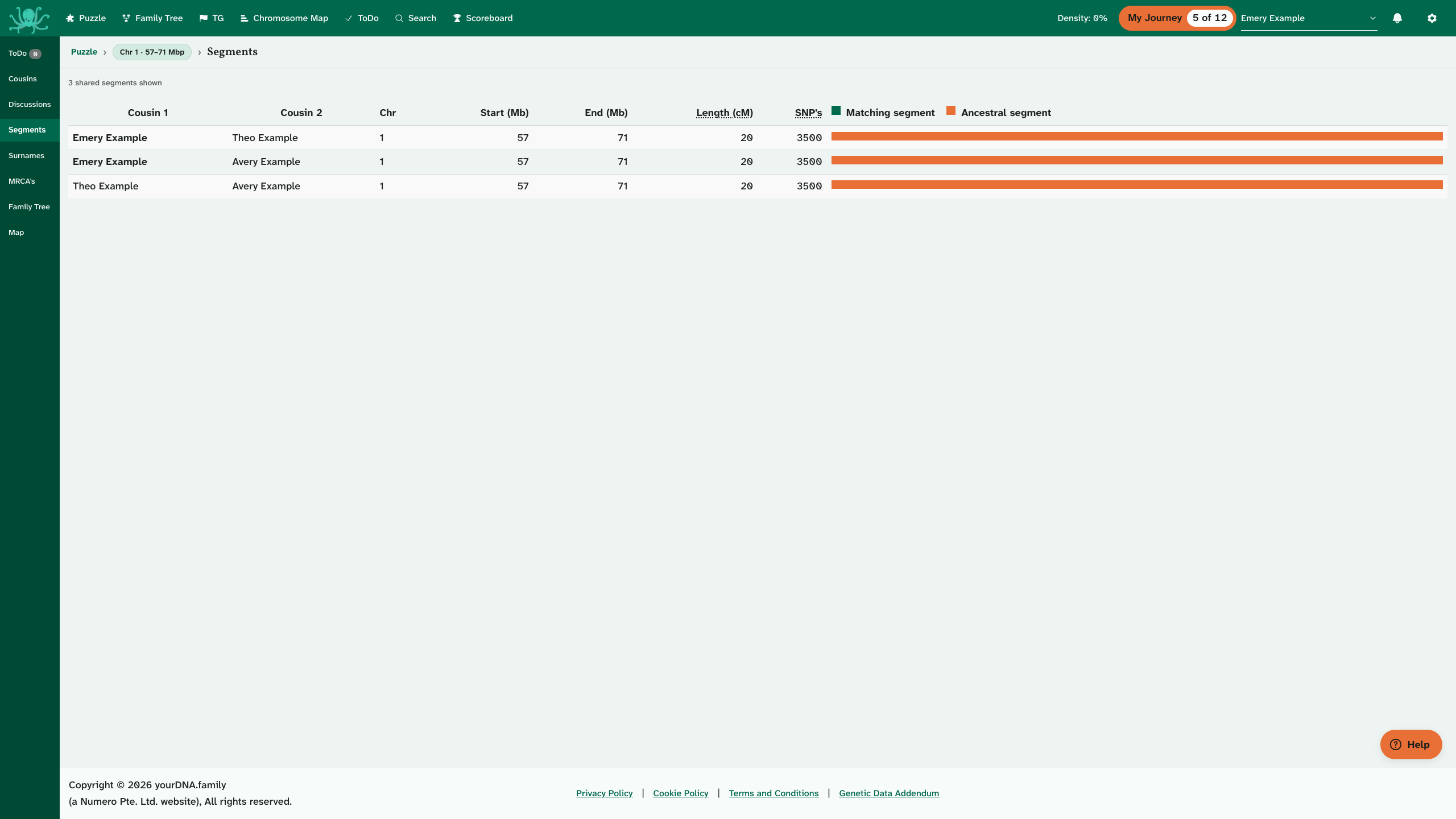
Open the New Cousin result at full size.
Find a group again
After a card opens its group, the card can disappear from Puzzle. You can still find the group again.
- Choose TG in the top bar.
- Find the card with the same chromosome, segment range, and cousin name.
- Select that card. Check that Segments shows the same group.
In this example, the card that lists Rowan Example also shows Segment 42.0 – 56.0 Mbp.
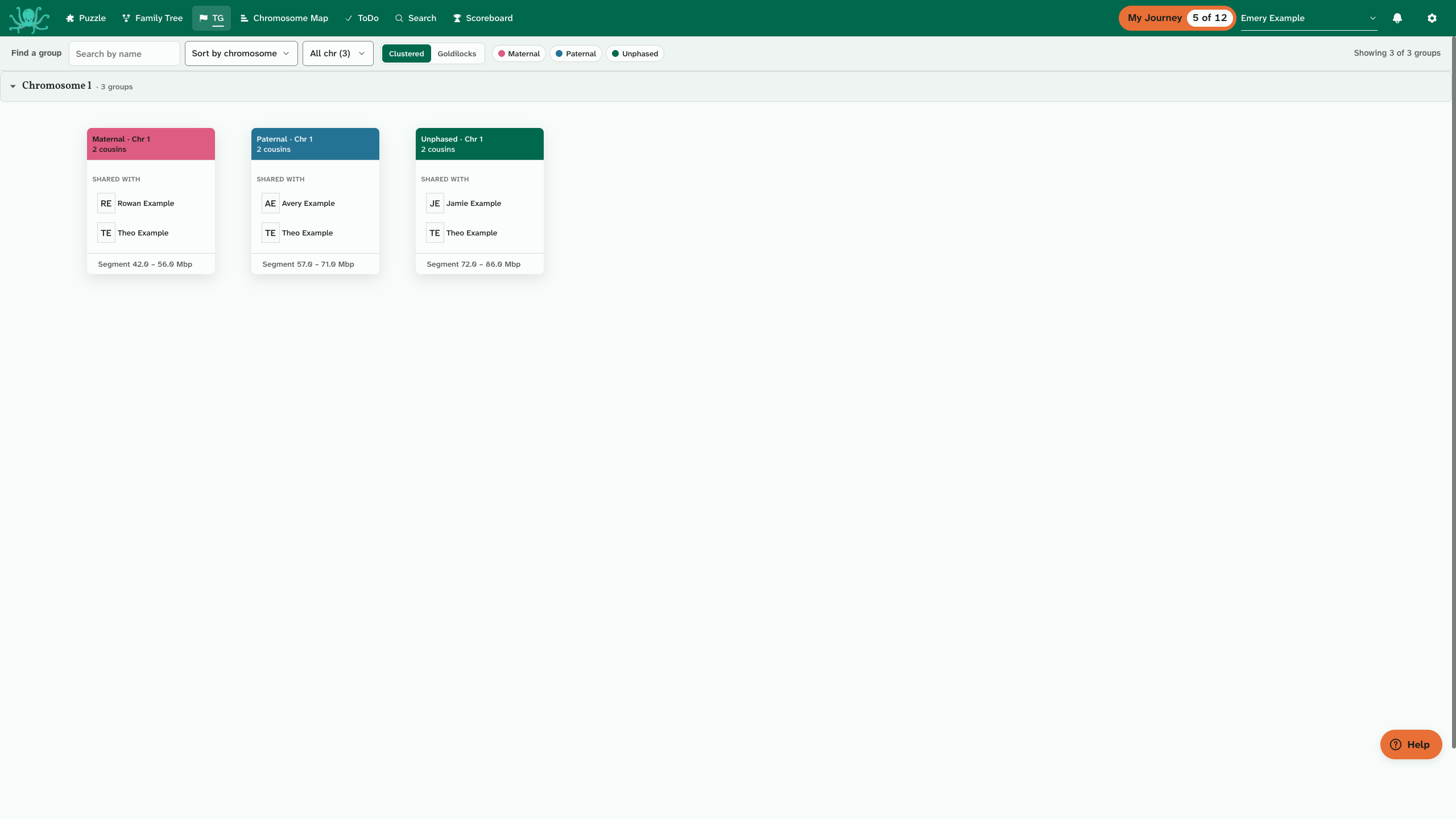
Open the TG cards at full size.
For help with the colors in Puzzle and on the TG screen, see the guide to card colors.