What do the different colors of the cards represent?
Last updated
The cards in Puzzle point you to different parts of your research. Use the color and the words in the card key together to choose where to start.
Look for the key above the cards, on the right. In this example it is on the same row as the All cards list.
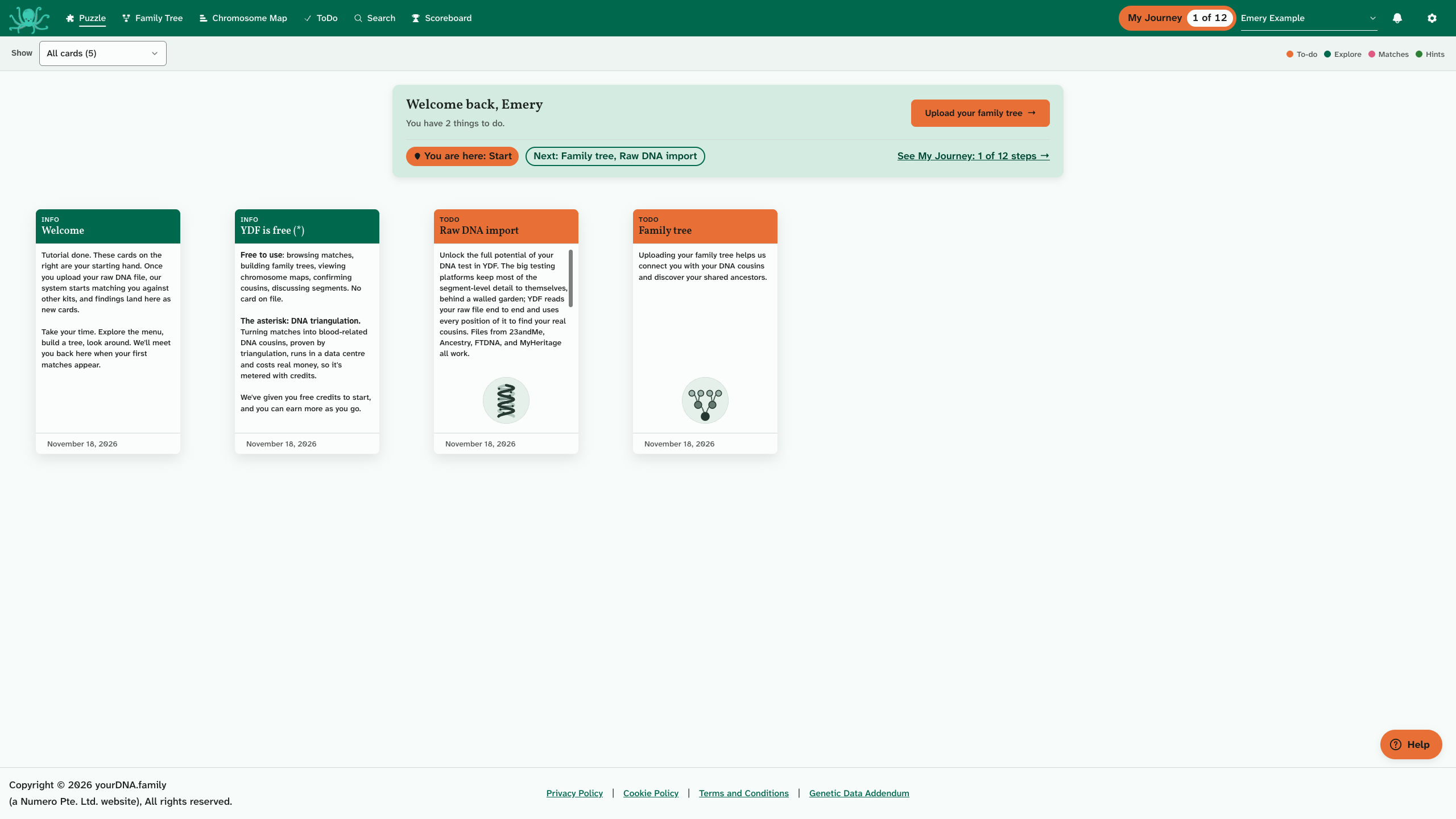
Here is the key at a larger size.

- To-do (gold). Open a card when you want a task to work on. For example, the app may ask you to check a possible group of relatives.
- Explore (teal). Open a card to see what the app found about a new group or DNA cousin.
- Matches (pink). Open a card to review new DNA matches.
- Hints (green). Open a card to see clues that may help with your research.
For examples of the teal cards in Puzzle, see what to do with New group and New Cousin cards.
Read the family side on the TG screen
Choose TG in the top bar to open your triangulated groups. The buttons above the groups give the color key for this screen.
- Maternal (pink) means the group is assigned to your mother's side.
- Paternal (blue) means the group is assigned to your father's side.
- Unphased (dark teal) means the app has not assigned the group to either side.
Read the word in the card header to identify its side. The example shows one card of each type.
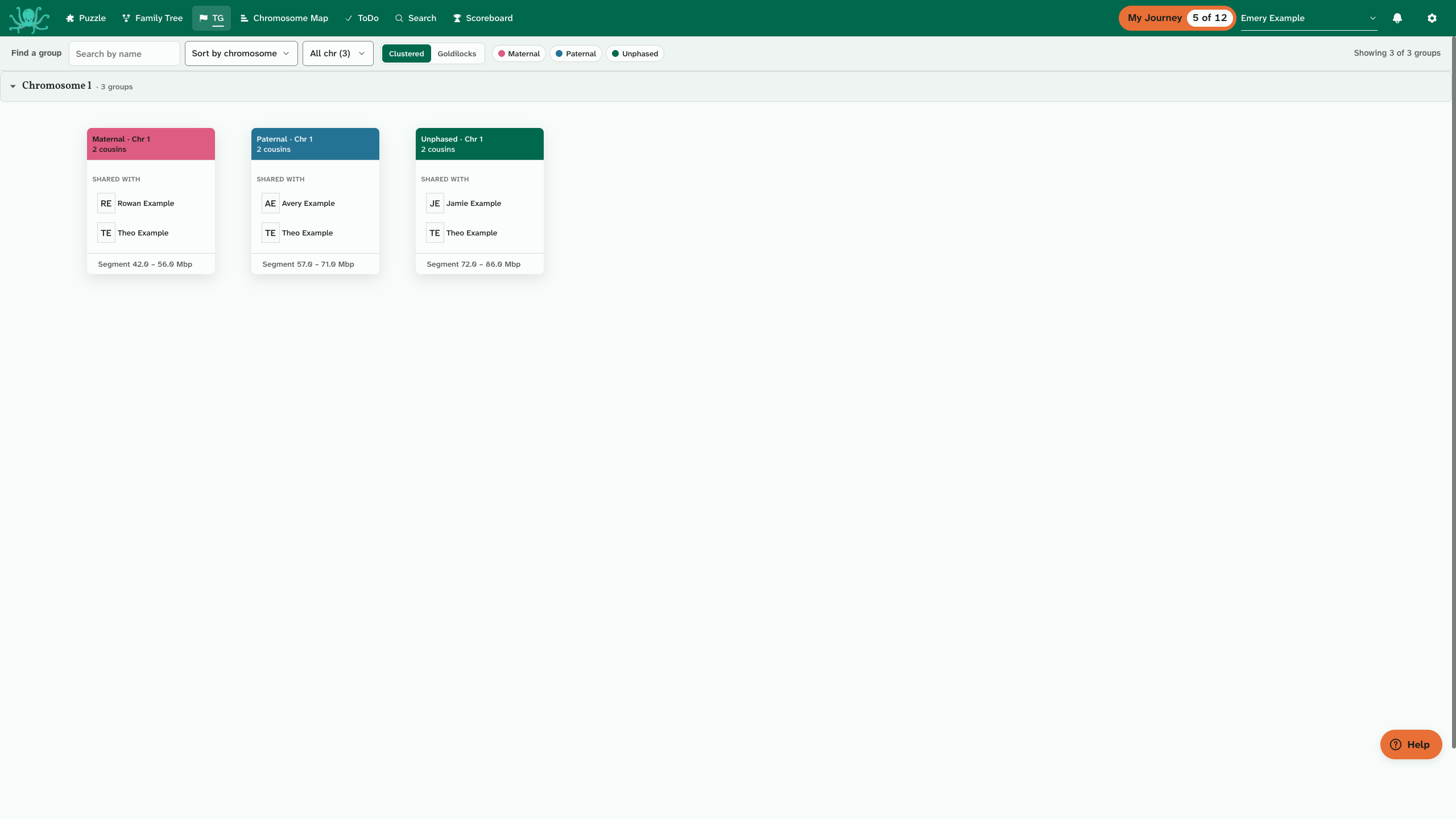
Open the family-side key at full size.
- Choose Maternal above the cards to hide the groups on your mother’s side.
- Check the remaining cards. In this example, the count at the upper right changes to Showing 2 of 3 groups.
- Choose Maternal again to bring those cards back.
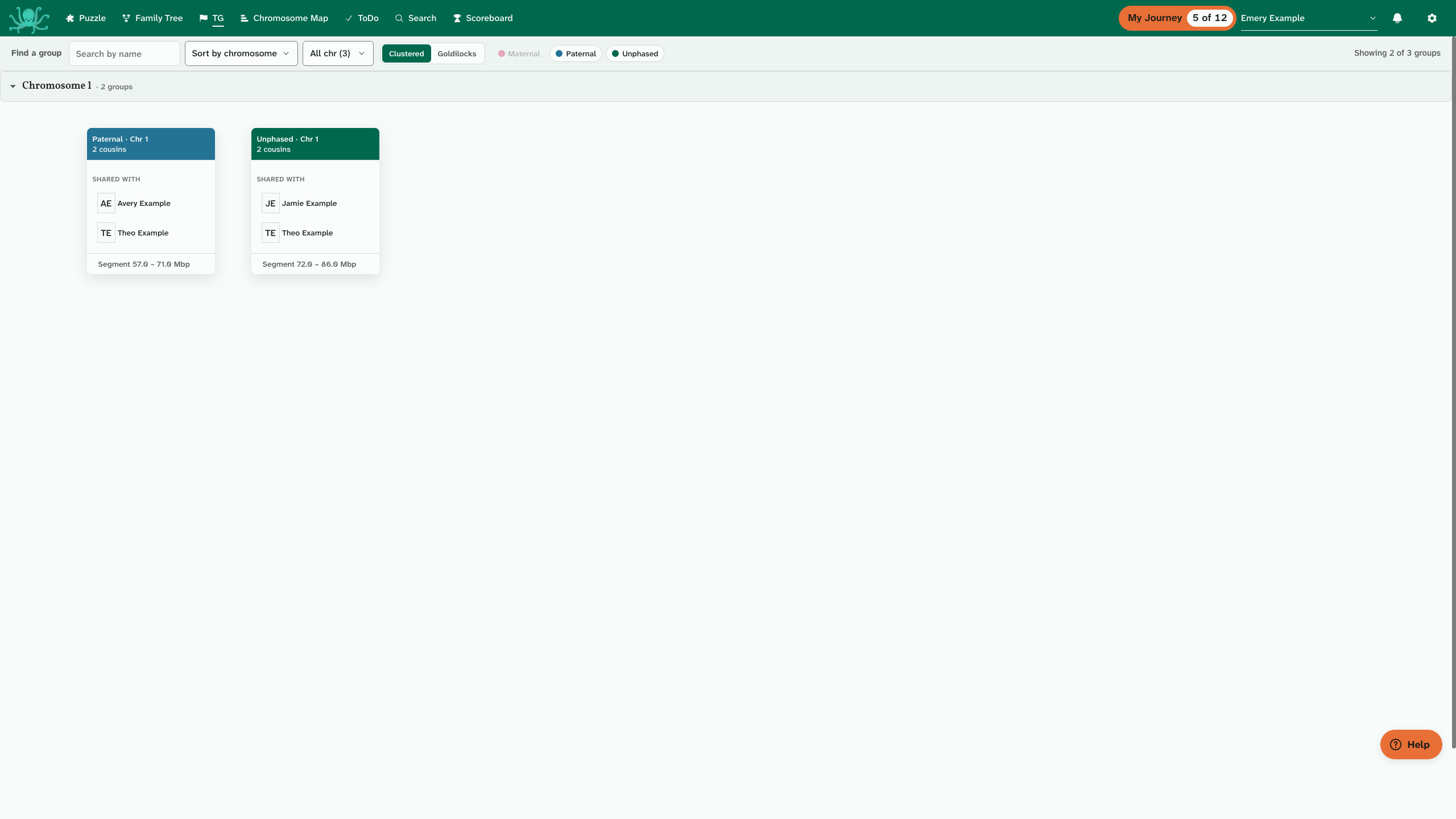
Open the filter result at full size.
The app keeps at least one side selected.