I can’t find where to upload my GEDCOM file
Last updated
Question:
I can’t find where to upload my GEDCOM file
Answer:
If you no longer have the "Family Tree" To Do card:
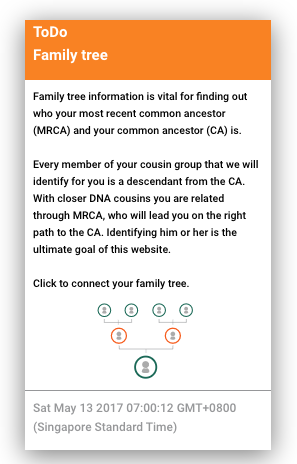
then there are the following options to upload the GEDCOM:
a) on the main "Puzzle" screen click on the "Family Tree" icon in the navigation bar at the top:

or
b) navigate to any of your triangulated groups and click on the "Smart Tree" submenu, then click on your own or the name of a DNA cousin depending for whom you want to import a GEDCOM file:
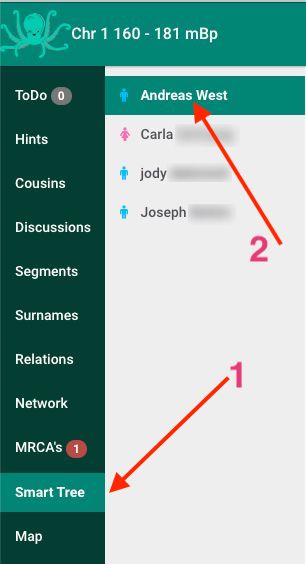
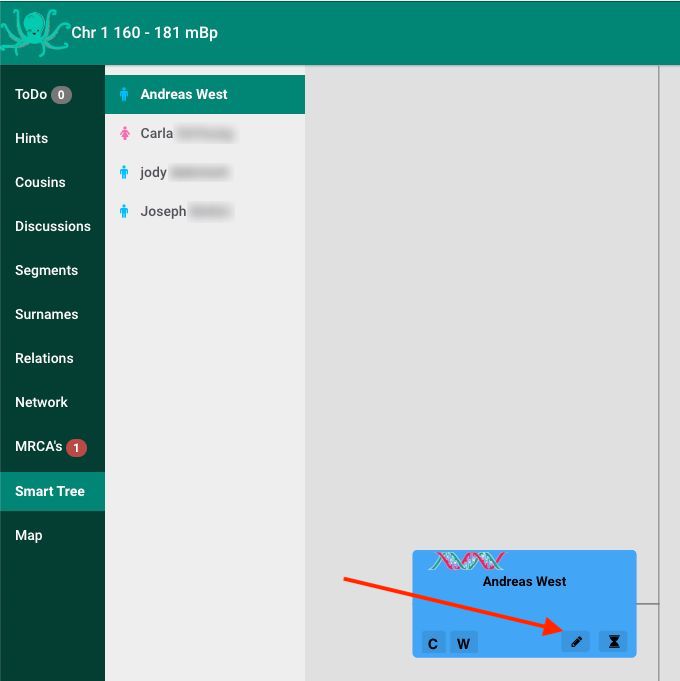
Once you see the family tree tile for the person for whom you want to import, click on the "Pencil" icon to edit:
lastly click on the green "GEDCOM" button.
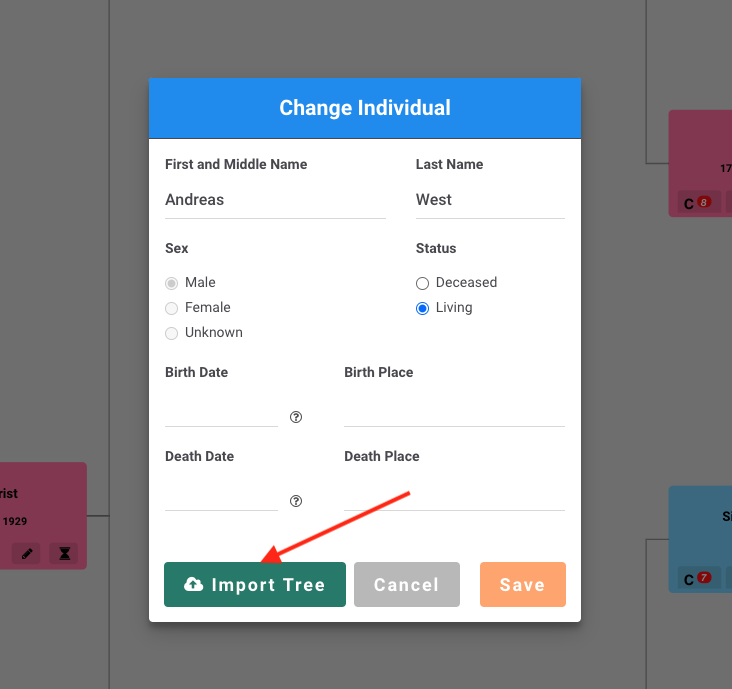
Please note the following:
- a GEDCOM or Ahnentafel file must always contain the person for whom its imported
- you can import a GEDCOM or Ahnentafel file for any of your profiles, for any of your DNA matches and for anyone in your family tree or someone else's family tree. For example you can import a GEDCOM containing a subtree of all descendants of an identified most recent common ancestor (MRCA) in a triangulated group (TG)