How to add a parent to my Family Tree
Last updated
Question:
How to add a parent to your Family Tree?
Answer:
This "how-to" will be slightly complicated as there are multiple ways for you to add a parent. Please follow the sections relevant to your case to add a parent to your Family Tree.
Step 1:
Navigate to your family Tree View using the navigation bar at the top of the screen.

Step 2:
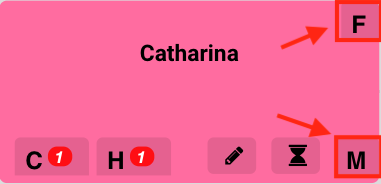
Find the person whose parent you wish to add. Click on the "F" (Father) button or "M" (Mother) button.
Step 3:
There are two ways to add a parent:
- Adding a new person. Go straight to Use case A: Creating a new individual
- Searching for existing people. In this case, there are two types of people you can search for:
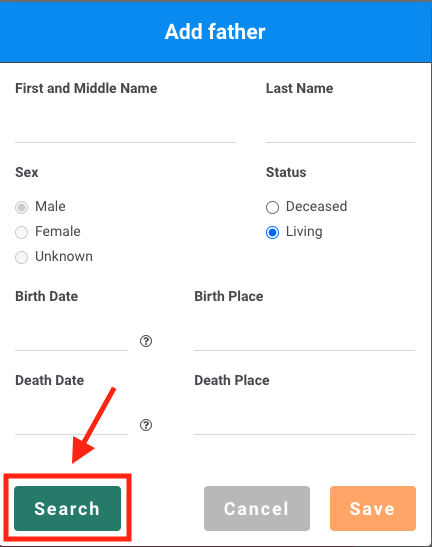
2.1) People that you have created. Click on the "Search" Button and proceed to Use case B: Adding an existing parent you have created
2.2) People that your DNA cousins have created. Click on the "Search" Button and proceed to Use case C: Adding an existing parent your DNA cousins have created
Use case A: Creating a new individual
Use case A - Step 4:
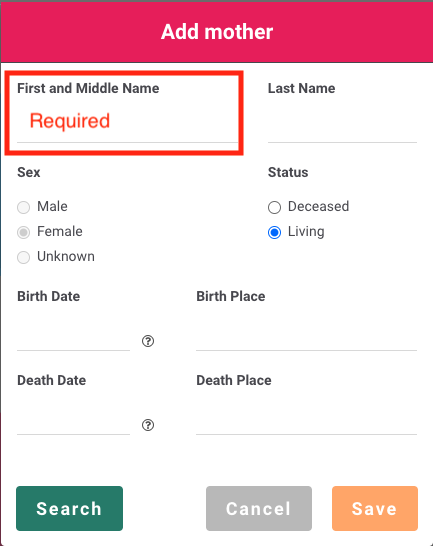
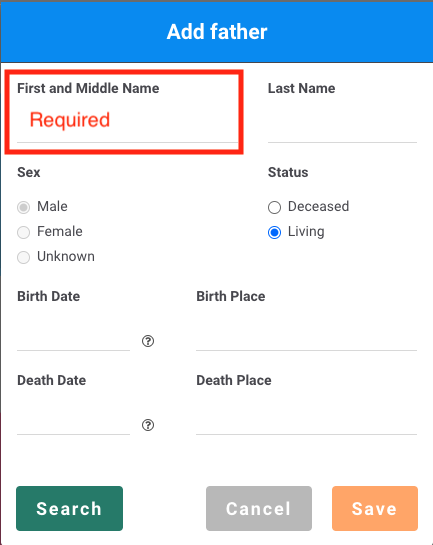
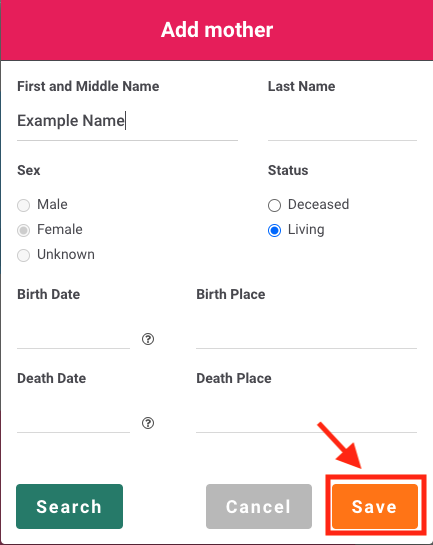
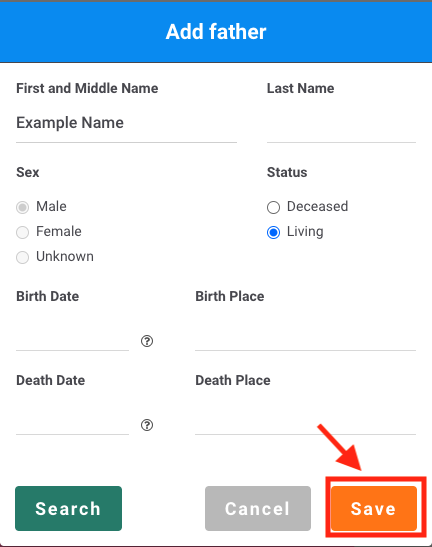
Key in the relevant information of the parent you wish to add. Note that you have to enter a first name before you are allowed to add a new parent. You can leave the other fields blank if you do not currently have the information.
Use case A - Step 5:
Click on the "Save" button. The parent should now be added to your Family Tree.
Use case B: Adding an existing parent you have created
Use case B - Step 4:
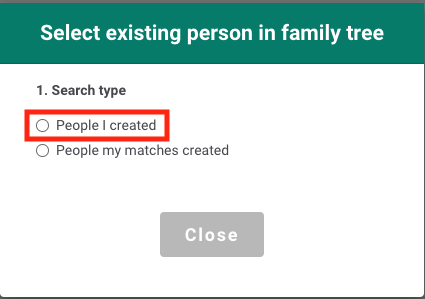
Select the "People I created" option.
Use case B - Step 5:
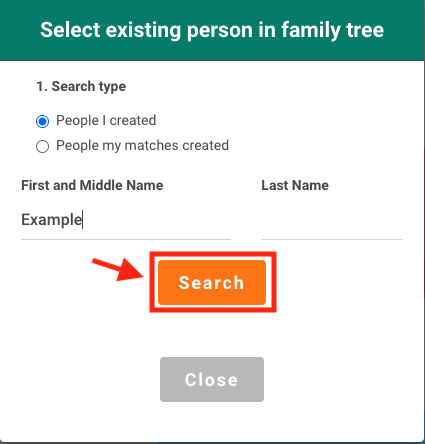
Enter the details of the parent and click on the "Search" button.
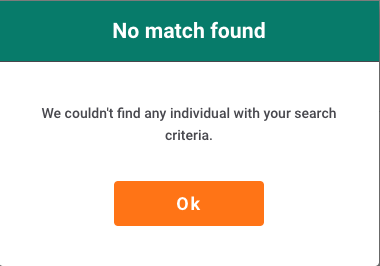
If there are no matches for your search, the following message will appear. Click "Ok" to try again.
Use case B - Step 6:
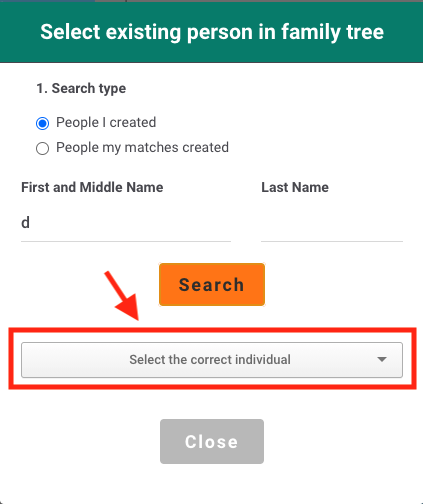
Once there are matches to your search, click on the drop-down box labeled "Select the correct individual". You will be shown a list of matches. Please select the correct parent to add.
Use case B - Step 7:
Once you have chosen the right individual. Click on the "Confirm" button.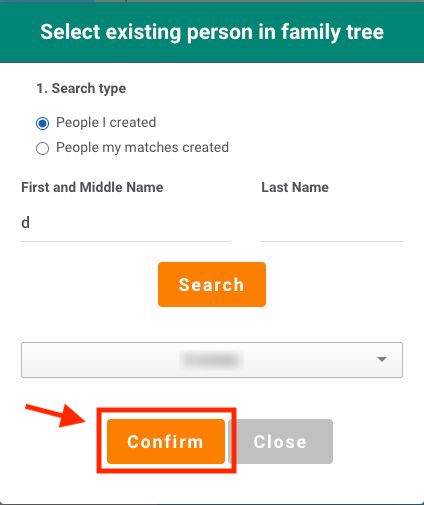
Use case B - Step 8:
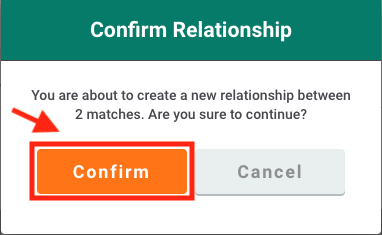
You will be prompted to confirm your selection again. Please make sure that the parent you wish to add is correct as this will alter your Family Tree.
Click on "Confirm" again to add the parent. The parent should now be added to your Family Tree.
Use case C: Adding an existing parent your DNA cousins have created
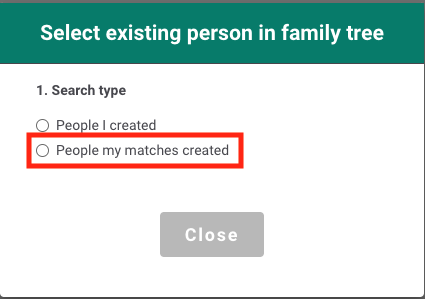
Use case C - Step 4:
Click on the "People my matches created" option
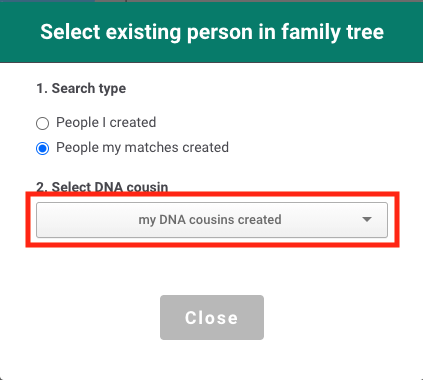
Use case C - Step 5:
Click on the dropdown box labeled "my DNA cousins created". You will be shown a list of your DNA cousins. Please select the correct DNA cousin who has created the parent you want to add.
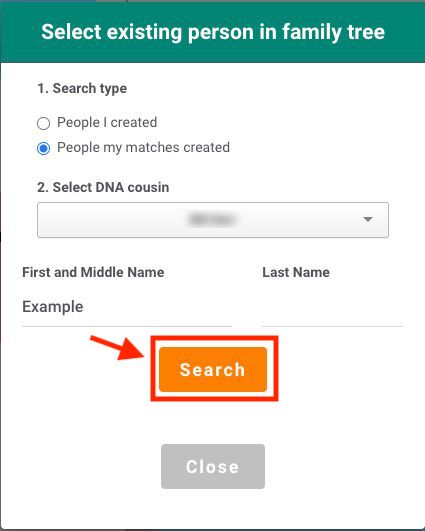
Use case C - Step 6:
Once you have selected a DNA cousin. Enter the name of the parent you wish to add and click on the "Search" button.
If there are no matches for your search, the following message will appear. Click "Ok" to try again.
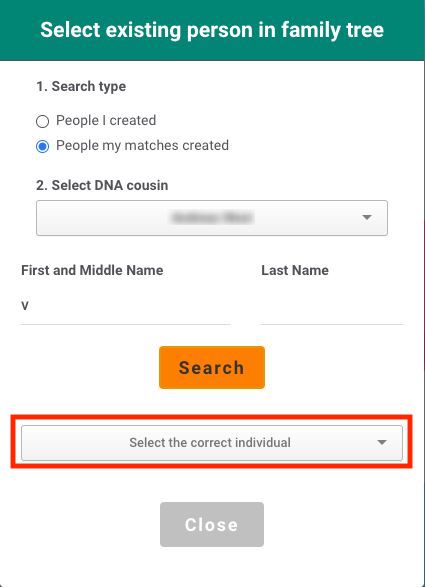
Use case C - Step 7:
Once there are matches to your search, click on the drop-down box labeled "Select the correct individual". You will be shown a list of matches. Please select the correct parent to add.
Use case C - Step 8:
Once you have chosen the right individual. Click on the "Confirm" button.
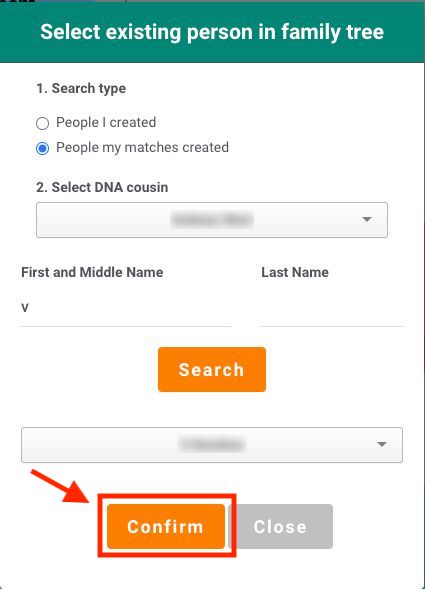
Use case C - Step 9:
You will be prompted to confirm your selection again. Please make sure that the parent you wish to add is correct as this will alter your Family Tree.
Click on "Confirm" again to add the parent. The parent should now be added to your Family Tree.