If I want to update or correct my family tree, how can I completely remove it?
Last updated
Q: If I want to update or correct my family tree, how can I completely remove it?
A: A family tree cannot be completely removed
The data in a family tree is linked to a lot of variables (e.g., parent-child relations, identified MRCA's, the side the TG is on for one or more DNA tested people, etc.), so every change will have a big impact.
In short, there are two solutions:
1) Manual editing
Use these steps when you want to delete one record that you own alone. This removes the person and their links. If both people should stay in the tree, remove the incorrect parent or child link.
- Choose Family Tree in the top bar.
- Find the person’s card and move your pointer over it. To use the keyboard, focus the card with Tab and press Enter.
- Choose Edit person from the menu next to the card.
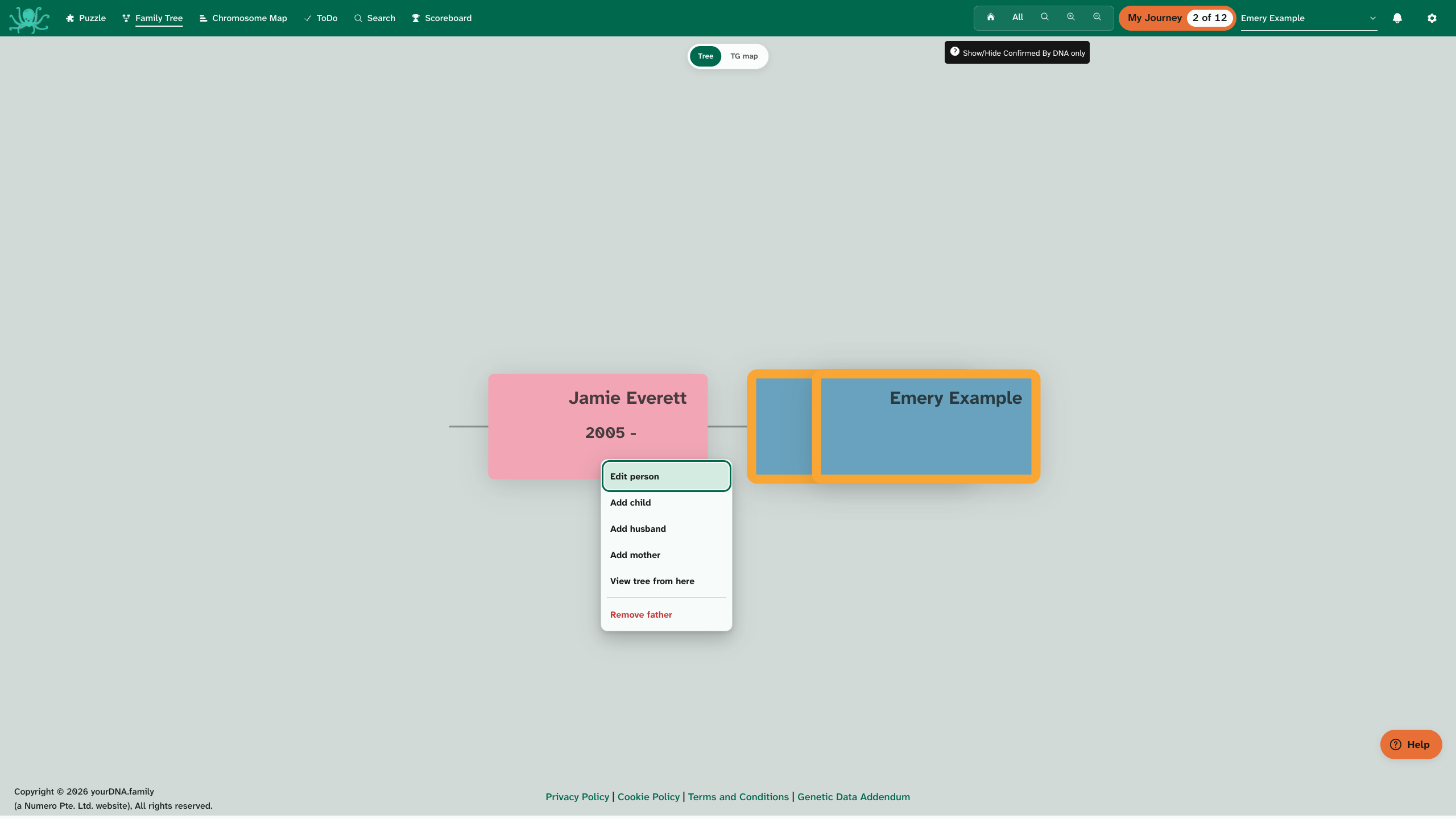
Open the Edit person menu at full size.
Check the first and last name at the top of the form. If Delete is available at the bottom, select it. The Delete this person? warning tells you that you cannot undo the action.
If Delete is missing or dimmed, leave the record in place and contact support. Tell them which record you want to remove.
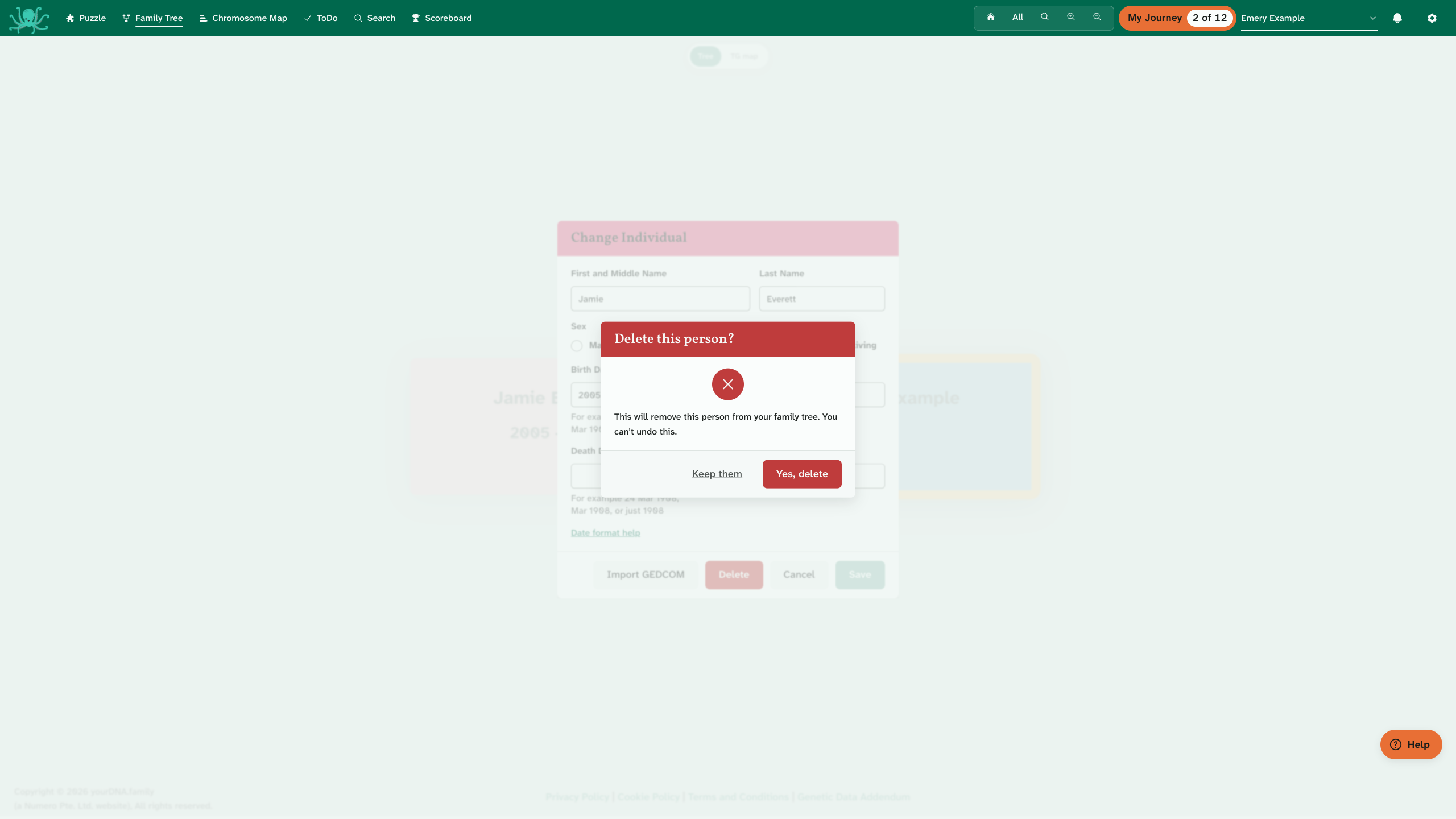
Open the deletion warning at full size.
Choose Keep them to cancel. Choose Yes, delete only if you want to remove the record. After the tree refreshes, check that the person is gone. Check that the relatives you meant to keep are still there.
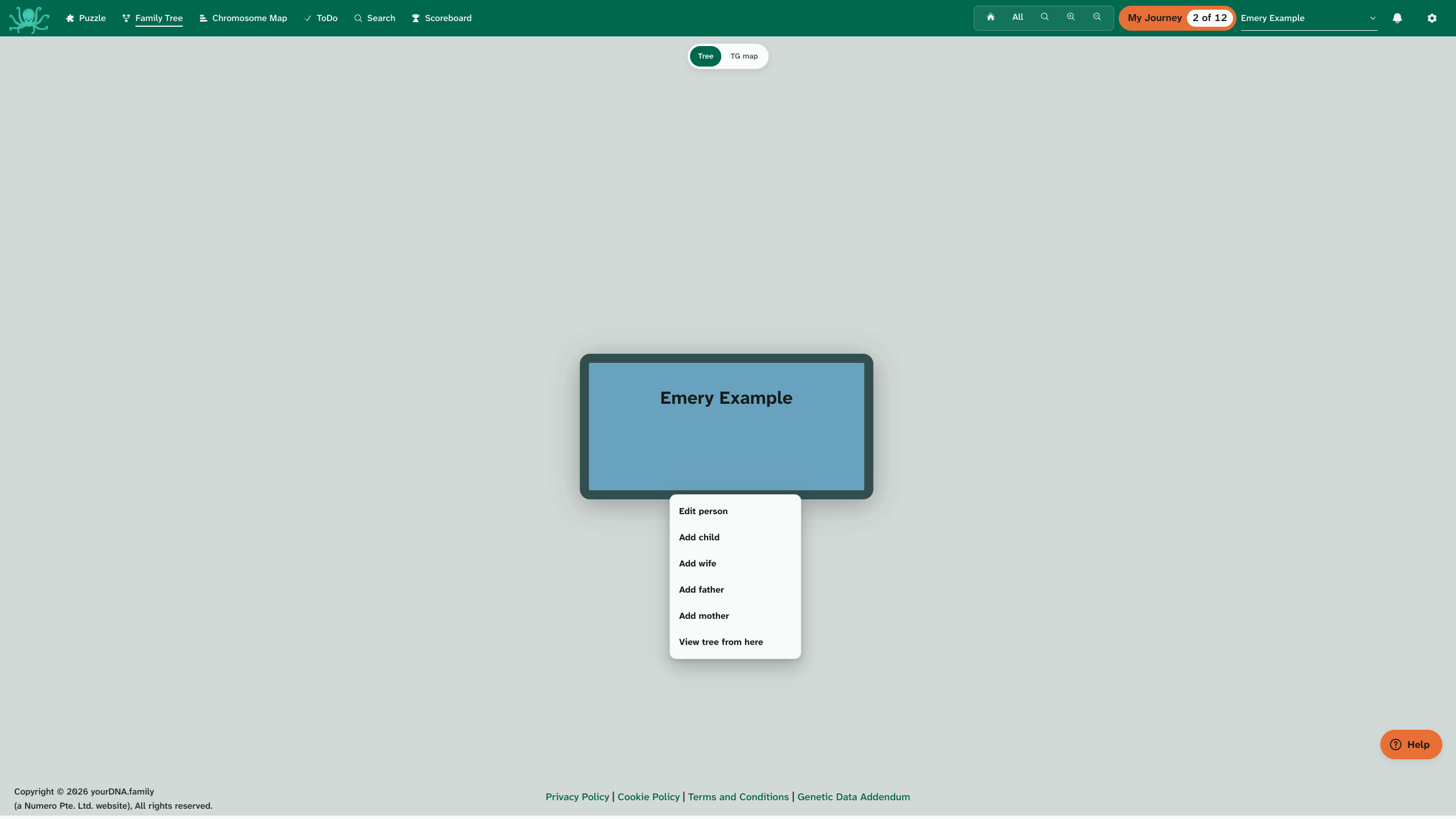
Open the tree after deletion at full size.
2) Reimport a GEDCOM file
You can always import a GEDCOM file with updated data on a specific person (yourself, a DNA cousin of yours or a member of your family you have created, e.g. your Great-Great Uncle).
When importing a large GEDCOM file, please be aware that it will take a long time to import and review all the potential matches between your existing family members and those in your GEDCOM.
When possible, extract only the portions of your GEDCOM you wish to update if your genealogy program supports it. Consider manual editing instead (see solution #1).
Important
You need to note that every GEDCOM or Ahnentafel file imported is from the perspective of a specific person (the person you selected as the main, starting person). This is most likely either the family tree tile you clicked, or the orange "Family tree" card. The orange "Family tree" card usually refers to the currently selected DNA kit (see the top right for its name).
Thus, our app searches for all blood relatives of this person and ONLY imports them!
For example, if you have a family tree for one or more of your DNA cousins in your GEDCOM file and import it onto your own family tree tile, they will only be identified and updated if they are connected to your family tree. Otherwise, you will need to import the file again on their family tree tile.